Build the tools you wish your editor had.
Describe the tool you need and Ape builds it. Your tool can use the same engines as Grapple’s own: tracking, roto, the camera solve, the beats in your music and the words in your transcript. It works on the Viewer and the Timeline with its own handles, like a built-in tool.
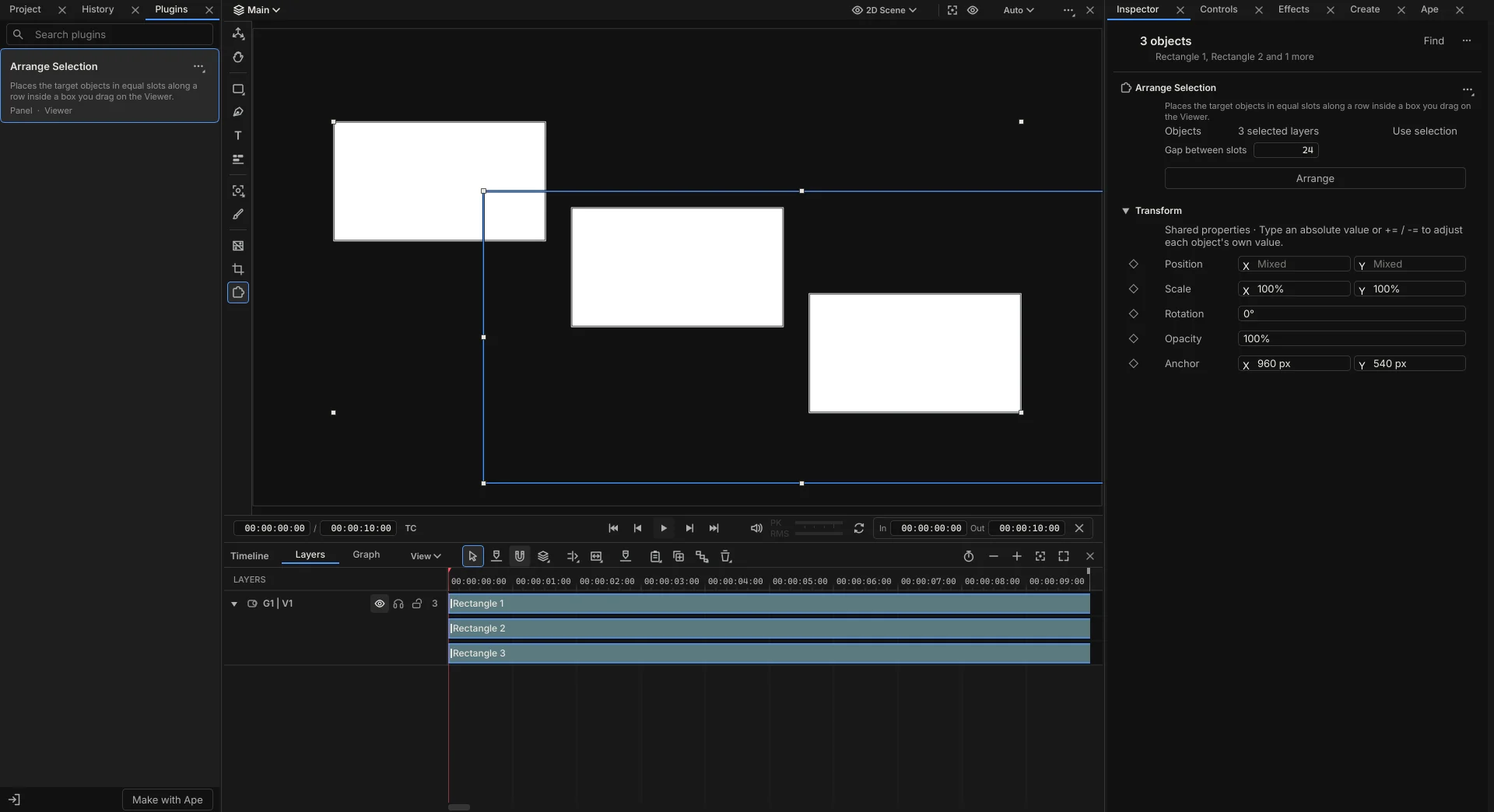
Tools Ape can build for you.
Choose Make with Ape in the Plugins tab, or ask in the chat. Ape writes the tool, tests it and adds it to your library, ready to use.
A tool can draw anything on the Viewer and the Timeline and take your clicks, drags and keys there, so it feels like one of Grapple’s own.
Click a person in the shot and give me a name tag that follows them, hidden whenever they leave the frame.
Cut out the subject on every shot I select and put the title behind them.
Drop the selected clips onto the beat, one every two beats, and let me check them before they go in.
Find every time she says the product’s name and mark it on the Timeline.
Show the Reels safe zone and move any title out from under the buttons.
A lasso that selects every layer inside the loop I draw.
Every plugin’s code runs apart from your files, your other apps and the internet, and a plugin you import from someone else asks you before its code first runs.
Or write it yourself.
A plugin is a folder with a manifest and a Python file. It uses gp, the same Python API as Ape and your scripts, and its settings appear in the Inspector drawn with Grapple’s own controls, so it looks and works like the rest of the app.
Export a plugin as a .grapple-tool file to pass on, or open any one with Edit with Ape to change it. Each project keeps its own copy of the plugins it uses, so an old project opens with the tools it was made with.
Tools that come with Grapple.
Grapple also comes with tools for the jobs editors and motion designers repeat every week. The ones that cut show you every change where it happens before it applies, and many leave Controls so you can keep tuning after you put the tool down.
For the cut
- Tighten pausesShortens the pauses in dialogue. You review each cut where it happens, then apply them all as one step.
- Snap cuts to beatsMoves your cuts onto the nearest beats, and shows which way each one goes before it does.
- Scene cut splitSplits a flattened video at its cuts, each one checked before it splits.
- Speed ramp to the beatRaces a clip between beats and slows it on the hits, each ramp adjustable on the Timeline.
- Duck music under voiceLowers the music whenever someone speaks, and stays live as you move the dialogue.
- Word-pop captionsCaptions from the transcript, a few words at a time, with the spoken word picked out in your style.
For motion
- Stagger layersOffsets the selected layers in time. Drag the spread on the Timeline and watch each one move.
- Lower thirdA lower third in your brand, where you only type the name and title.
- Pulse to the musicMakes layers pulse with the kick, the snare or the whole mix.
- Camera tourA camera that glides between the targets you click and holds on each one.
- Arm rigRigs a character’s arm so you pose it by the hand, with Controls to tune it.
- SwayMakes a rope, hair, a plant or a flag sway from its root to its tip.
- WiggleA random wobble on a layer, with a ring on the Viewer for how much.
- Circle arrangeLays the selected layers on a circle you drag on the Viewer.
- Anchor pointsPuts a layer’s anchor at a corner, an edge or the centre without moving it.
On footage
- Pin to trackClick a point on the footage and a label follows it, hiding where the track is lost.
- Tuck behind subjectPuts a title or a graphic behind the person in the shot, through the whole clip.
- Place on surfaceDrops a layer onto a wall or a floor in a solved shot, where it stays as the camera moves.
- Remove objectBox a sign, a mic or a passer-by and it’s filled in from the shot. You check the filled frames before they apply.
Build the first tool on your list.
Grapple is a one-time payment of $99. Buy it during the public preview and it’s 50% off: $49.50.